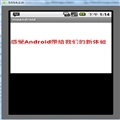
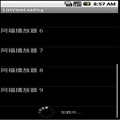
一般来讲,我们用LayoutInflater做一件事:inflate。inflate这个方法总共有四种形式,目的都是把xml表述的layout转化为View。This class is used to instantiate layout XML file into its corresponding View objects . It is never be used directly -- use getLayoutInflater() or getSystemService(String)getLayoutInflater() or getSystemService(String) to retrieve a standard LayoutInflater instance that is already hooked up to the current context and correctly configured for the device you are running on
1. Context.public abstract Object getSystemService (String name) :Return the handle to a system-level service by name. The class of the returned object varies by the requested name. 具体参见文档。
?
2. 2种获得LayoutInflater的方法
(1)通过SystemService获得
LayoutInflater inflater=(LayoutInflater)context.getSystemService(Context.LAYOUT_INFLATER_SERVICE);
(2)从给定的context中获取


(3)二者区别:实质是一样的,请看源码
public static LayoutInflater from(Context context) {
    LayoutInflater LayoutInflater =
            (LayoutInflater) context.getSystemService(Context.LAYOUT_INFLATER_SERVICE);
    if (LayoutInflater == null) {
        throw new AssertionError("LayoutInflater not found.");
    }
    return LayoutInflater;
}
?
3. LayoutInflater.inflate()
将Layout文件转换为View,顾名思义,专门供Layout使用的Inflater。虽然Layout也是View的子类,但在android中如果想将xml中的Layout转换为View放入.java代码中操作,只能通过Inflater,而不能通过findViewById(),这一段描述有误,看如下代码 。看下面文档写的已经很清楚。
?
<ScrollView xmlns:android="http://schemas.android.com/apk/res/android"
	android:orientation="vertical"
	android:layout_width="fill_parent"
	android:layout_height="wrap_content">

	<LinearLayout android:id="@+id/placeslist_linearlayout"
		android:layout_width="fill_parent"
		android:layout_height="wrap_content"
		android:orientation="vertical">

	</LinearLayout>
</ScrollView>
?LinearLayout linearLayout = (LinearLayout) findViewById(R.id.placeslist_linearlayout);
linearLayout.addView(place_type_text);
这是可运行的,这上面的xml中,LinearLayout不再是Layout的代表,而只是一个普通的View。
?
?

?
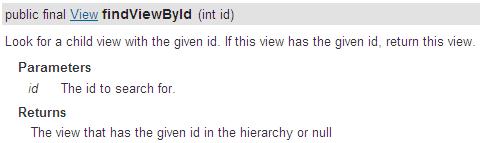
4. findViewById有2中形式
R.layout.xx 是引用res/layout/xx.xml的布局文件(inflate方法),R.id.xx是引用布局文件里面的组件,组件的id是xx...(findViewById方法)。看看R.java配置文件吧,R对文件分类管理,多写几个layout.xml后你会发现,所有的组件id都能用R.id.xx来查看,但是组件不在setContentView()里面的layout中就无法使用,Activity.findViewById()会出现空指针异常 。
(1)Activity中的findViewById()

(2)View中的findViewById()
?
5.
 相关文章
相关文章


![[wp7软件]wp7~~学习教程软件~~集合贴](/Upload/SmallIMG/2012031511/5B4A215501F44505.png)